Available now
Trip and mileage records
DriveLog
Trips, mileage, fuel entries, and GPS routes in one place.
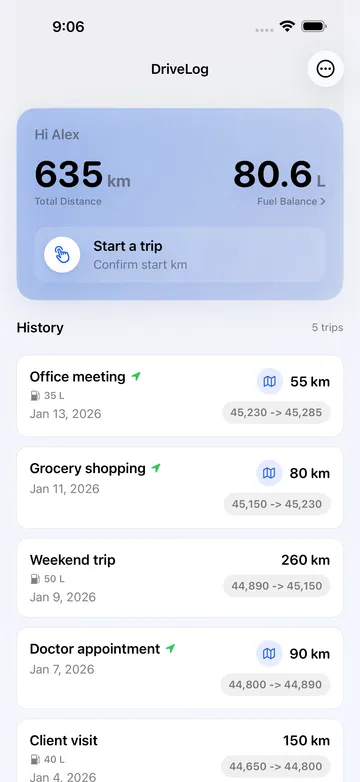
Log a trip with odometer readings or record its route with GPS. Add a purpose note and the amount of fuel added, then create a JSON backup you can restore later.

Listed on the App Store as DriveLog – Mileage Tracker.
Scope
A straightforward record of the drives you choose to log.
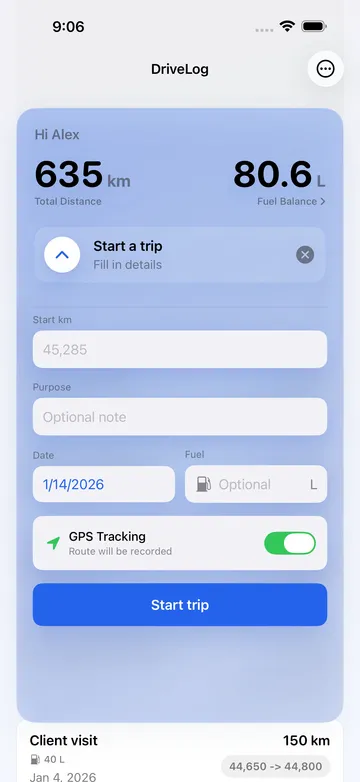
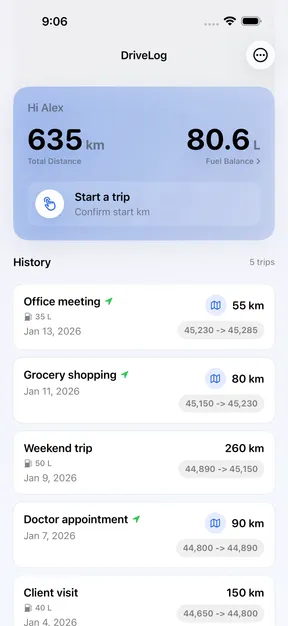
Log personal or business drives with an optional purpose note. Use starting and ending odometer readings, or record the route with GPS.
Manual entry
Log a trip without recording a route.
Enter starting and ending odometer readings, plus an optional purpose note and the amount of fuel added.
GPS recording
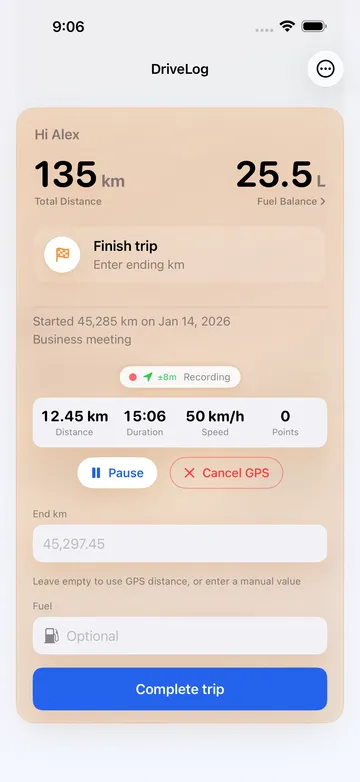
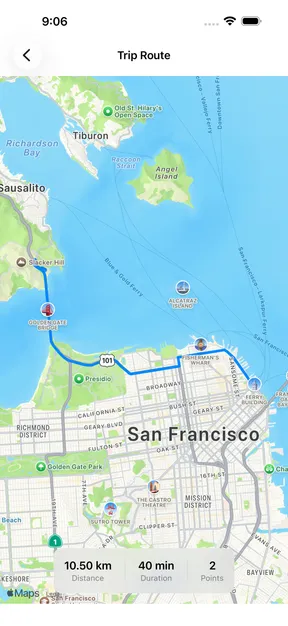
Record a route with live trip statistics.
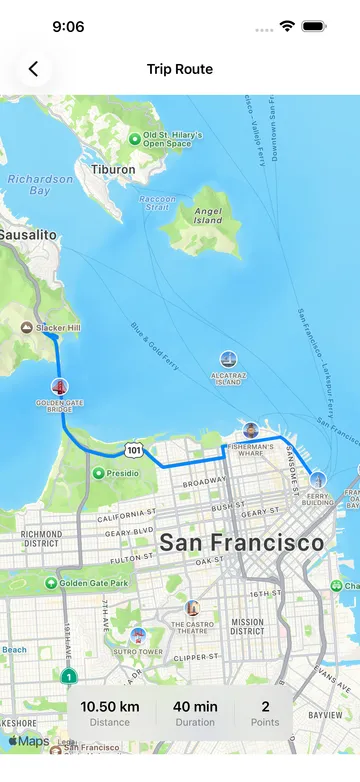
See distance, duration, and speed while recording. After saving, review the route map, distance, and duration.
- Notes
- Add an optional purpose note.
- Fuel
- Record the amount of fuel added and estimate your fuel balance.
- Backup and restore
- Save trips, GPS routes, and settings to a JSON file and import it later.
- Languages
- Available in English, French, German, and Spanish.
Screens
Manual mileage and recorded GPS routes.
Use odometer readings for a trip or record its route with GPS. Review saved trips, estimated fuel balance, and route details in the app.